How it works
From MT5 report to a rule-threshold report in three steps.
You backtest each EA individually in MT5 and export the report. Stratlyze does the rest — locally.
- 01
Drop in your MT5 report
Backtest each EA in the Strategy Tester and export the HTML or XLSX report (the graph CSV too, for an exact floating curve). Load it into Stratlyze — desktop or browser.
UTF-16 MT5 exports · any account currency · German or English labels
- 02
We rebuild the real account
Stratlyze back-solves every closed lot to recover the open inventory (up to 3 positions at once — no FIFO guessing), self-calibrates the price-to-money factor from your own trades, and reconstructs the true equity with floating P&L, margin and open risk.
Real equity · floating DD · open-risk-if-all-SL-hit · margin load
- 03
Check the thresholds you set, run the what-if
Configure the prop-firm-style rule thresholds you want to check (max-DD / daily-loss / trailing) and see whether your own backtest would have stayed within them, where the closest call is, and which day crosses a threshold if any does. Combine EAs into a portfolio and model different per-EA lot factors yourself — a user-driven, in-sample what-if (linear scaling, labelled).
Closest-call report · which day crosses a threshold · per-EA lot-factor what-if (in-sample)
Methodology
How we reconstruct the truth — and how we know it’s right.
No magic, no black box. The reconstruction is deterministic and validated against a known MT5 report down to the cent.
Back-solve, not FIFO.
MT5’s export carries no position id, and up to three positions can be open at once. We recover each closed lot’s entry from its realized profit — never by guessing pairs with FIFO, which would be wrong.
entry = exit − profit / (volume · direction · K)recovered per closed lot — no FIFO pairing, no position id needed.
Self-calibrated conversion.
The factor K that turns price moves into account money is calibrated from the report’s own closed trades, so it works in any currency. On a CHF account trading XAUUSD it correctly drifts with the real CHF FX rate instead of assuming a fixed value.
One open-inventory engine, three risk views.
From the reconstructed open positions we project floating P&L, margin load, and open-risk-if-every-SL-hit. Positions without a stop are flagged, never silently counted as zero — and a foreign EA’s trailing stop, which MT5 never logs, is labelled a conservative estimate, not faked.
Validated against fixtures/Report_Test.html — Prop Firm Gold EA, XAUUSD, CHF account, 145 trades.
- Net profit · gross profit + gross loss
- reproduced to the cent
- Balance drawdown (max)
- 4 195.65 (3.57%)
- True equity drawdown (max)
- 5 114.75 (4.49%)
- Open inventory (back-solved)
- exact, max 3 concurrent
- K calibration vs real CHF FX
- within 0.05%
- Sharpe (high-precision)
- 3.94 vs stated 3.92
- Max open-risk if all SL hit
- 2.36% of account
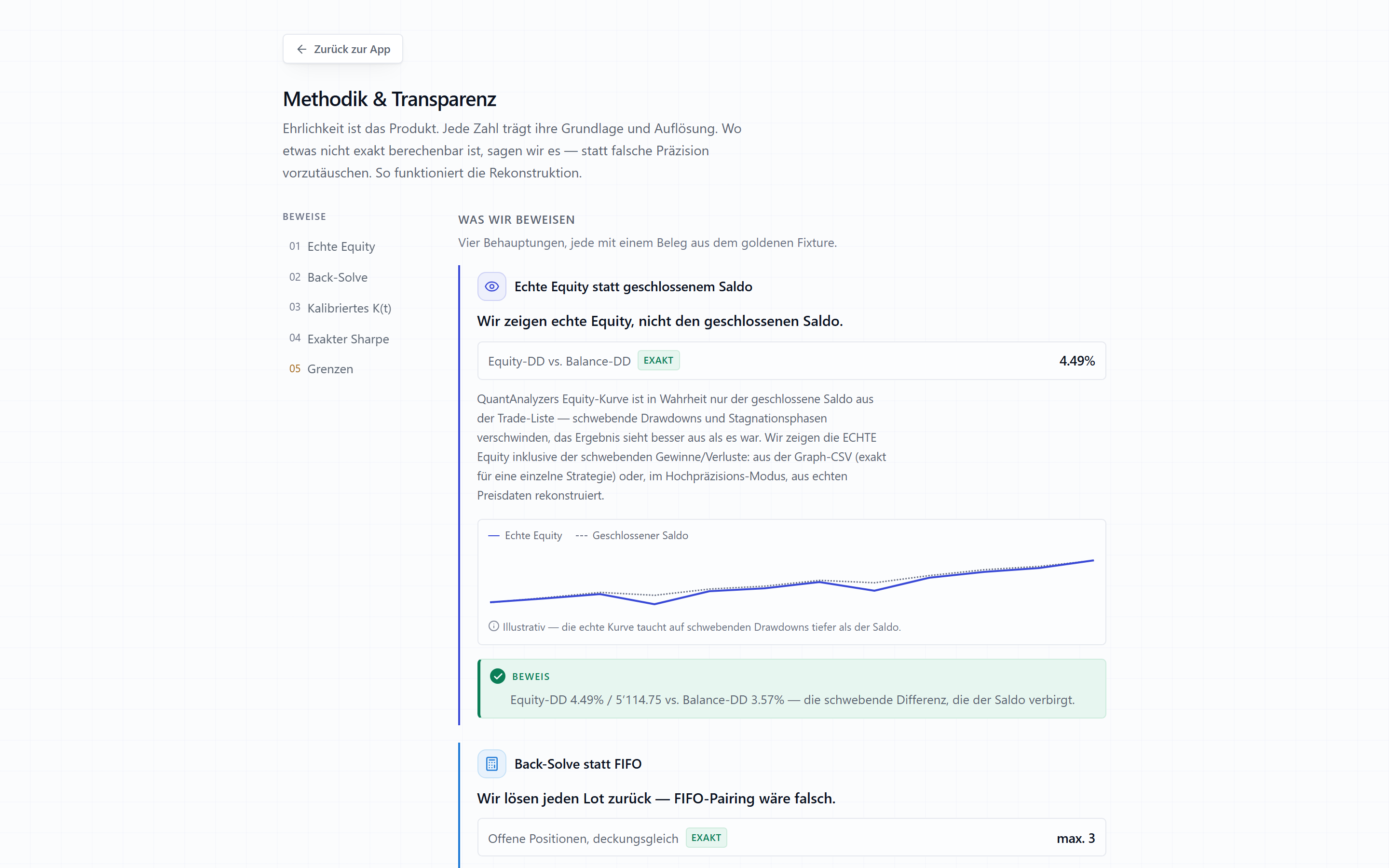
The honesty layer
What a backtest can’t show you — and we won’t fake.
Per-trade MAE/MFE isn’t in the export — so we don’t print it.
A foreign EA’s trailing stop is never logged by MT5 — we use the initial SL as a conservative over-estimate and label it.
Monte Carlo assumes trade-order independence — clustered losing streaks can run deeper than the band shows.
Lot scaling assumes linear P&L — no slippage, margin-call or fill changes.
Combined-portfolio floating is a reconstruction, not an exact reading — labelled as such.
We’d rather label a limit than fake precision. That honesty is the product.
Find out what your backtests really did.
Load one MT5 report and see the true equity curve, a rule-threshold report against the limits you configure, and exactly where those thresholds bite. Free during the beta. No account, no upload.
Desktop for Windows & macOSWeb app in any modern browserSame engine everywhere
No trading data ever leaves your machine. No login required to analyze.
macOS build is unsigned — one-time right-click › Open on first launch.
Analysis software only. Not financial advice. Connects to no account, executes no trades. No data leaves your device.